ls2208 scanner manual
LS2208 Scanner Manual: A Comprehensive Guide
This manual details the Zebra LS2208 barcode scanner, a globally recognized device known for its reliability and ease of use in diverse applications.
The Zebra LS2208 handheld barcode scanner is a widely deployed solution, powering checkout lines and data capture processes worldwide. Renowned for its plug-and-play simplicity, the LS2208 requires minimal setup, supporting an impressive 97 keyboard languages for global usability. This scanner excels at reading 1D barcodes efficiently, though it lacks UHF RFID capabilities.
Its robust design and long-distance scanning capabilities offer convenience and adaptability. The LS2208 has a proven track record, having surpassed one million units sold by 2006 and capturing a significant 33% share of the global scanner market. It’s a dependable choice for various industries.
Key Features and Capabilities
The LS2208 boasts several key features, including its exceptional ability to scan 1D barcodes at a rate of 100 scans per second. Its long-distance scanning functionality enhances operational efficiency, allowing for comfortable data capture. The scanner’s plug-and-play installation simplifies integration into existing systems, and its broad keyboard language support (97 languages) ensures global compatibility.
Constructed with durable materials, including a patented liquid polymer scan element, the LS2208 is built to withstand demanding environments. While focused on 1D barcodes, its reliable performance makes it a staple in retail and general data capture applications.
Technical Specifications
The LS2208 scanner presents a compact design, measuring 6.0 inches in height, 2.5 inches in width, and 3.3 inches in depth. It weighs approximately 4.3 ounces, contributing to comfortable, prolonged use. Operating temperatures range from 32 to 122°F (0 to 50°C), while storage temperatures can span from -40°F.
Regarding performance, the typical scan rate is 100 scans per second. It effectively reads Code 39 barcodes at 5 mil (2.50-6.00 inches) and 7.5 mil (1.50 inches). These specifications ensure reliable and efficient barcode reading in various operational settings.
Dimensions and Weight
The Zebra LS2208 handheld barcode scanner boasts a user-friendly ergonomic design, prioritizing comfort during extended use. Its dimensions are precisely 6.0 inches in height (H) by 2.5 inches in width (W), and 3.3 inches in depth (D). This compact form factor allows for seamless integration into diverse point-of-sale and data capture environments.
Furthermore, the LS2208 is remarkably lightweight, weighing only approximately 4.3 ounces. This minimal weight reduces operator fatigue, enhancing productivity and efficiency. These carefully considered dimensions and weight contribute to the scanner’s overall usability.
Operating and Storage Temperatures
The LS2208 scanner is engineered for reliable performance across a broad range of environmental conditions. Its specified operating temperature range is from 32°F to 122°F (0°C to 50°C), ensuring consistent functionality in typical indoor environments. This wide range accommodates various retail and commercial settings.
For storage, the LS2208 can withstand significantly colder temperatures, ranging from -40°F to 158°F (-40°C to 70°C). This extended storage temperature range protects the scanner during transportation and periods of inactivity, guaranteeing longevity and sustained performance.
Scan Rate
The LS2208 scanner boasts a rapid scan rate, crucial for high-volume environments like retail checkout lines. It consistently achieves a typical scan rate of 100 scans per second, enabling quick and efficient data capture. This speed minimizes customer wait times and maximizes throughput.
This high-performance scan rate ensures that even busy operators can process items swiftly and accurately. The scanner’s ability to quickly decode barcodes contributes to a smoother, more productive workflow. Its responsiveness is a key factor in its widespread adoption across various industries.
Barcode Symbology Support
The LS2208 scanner excels at reading a wide array of 1D barcode symbologies, making it versatile for numerous applications. It reliably decodes Code 39 barcodes at 5 mil with a depth of field ranging from 2.50 to 6.00 inches (and 6.00 inches at 7.5 mil).
However, it’s important to note a key limitation: the LS2208 does not support UHF RFID technology. This scanner is specifically designed for traditional barcode scanning. Its robust 1D barcode support ensures compatibility with most standard barcodes encountered in retail, logistics, and general data capture scenarios.
Supported 1D Barcodes
The LS2208 scanner demonstrates excellent performance with a comprehensive selection of 1D barcode types. Specifically, it reliably reads Code 39 barcodes, offering a substantial scanning range. At 5 mil density, the scanner achieves a reading distance of 2.50 to 6.00 inches, extending to 6.00 inches for 7.5 mil barcodes.
While a complete list isn’t explicitly provided, this indicates strong support for common 1D symbologies used in retail and logistics. The scanner’s design prioritizes accurate and efficient decoding of linear barcodes, ensuring seamless data capture in fast-paced environments.
Limitations: No UHF RFID Support
It’s important to note that the LS2208 scanner is specifically designed for reading 1D barcodes and does not incorporate UHF RFID (Radio-Frequency Identification) reading capabilities. This means it cannot track items using RFID tags, limiting its functionality in applications requiring RFID technology.
Users needing both barcode and RFID scanning will require a separate RFID reader or a combined barcode/RFID scanner. The LS2208 excels in its focused application – efficient 1D barcode data capture – but isn’t a solution for businesses utilizing RFID-based inventory or asset tracking systems.
Setting Up the LS2208 Scanner
The LS2208 scanner is renowned for its simple and swift setup process, largely due to its “Plug and Play” functionality. No dedicated software installation is typically required; simply connect the scanner to a compatible USB port on your computer or POS system. The scanner is automatically recognized and configured by most operating systems.
Furthermore, the LS2208 offers extensive keyboard language support, accommodating a remarkable 97 languages. This ensures seamless integration into diverse global environments, eliminating the need for complex language pack installations. It truly delivers plug-and-play simplicity worldwide.
Plug and Play Installation
The LS2208’s “Plug and Play” installation streamlines the setup process significantly. Connecting the scanner via USB automatically initiates device recognition by your computer’s operating system. Typically, no drivers are needed for common operating systems, ensuring immediate functionality.
This intuitive design minimizes downtime and technical complexities, allowing users to begin scanning barcodes almost instantly. The scanner configures itself for basic operation, providing a hassle-free experience. For advanced configurations or specific application needs, optional software may be utilized, but is not required for initial use.
Keyboard Language Support (97 Languages)
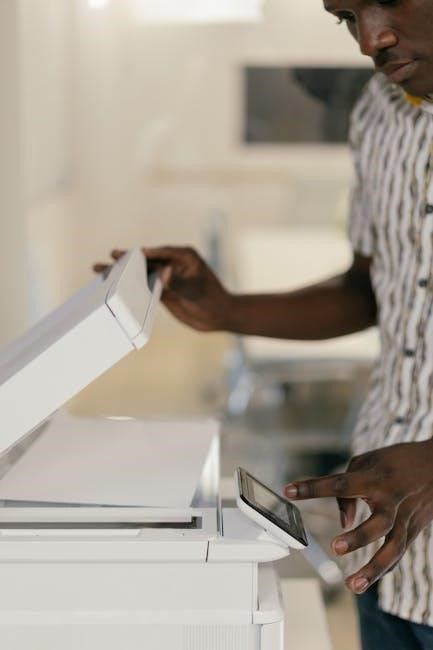
The LS2208 scanner boasts exceptional global compatibility with support for keyboards in an impressive 97 languages. This extensive language coverage ensures seamless integration into diverse international environments, eliminating the need for separate scanner models for different regions.
This feature simplifies deployment and reduces operational costs by providing a single, versatile solution. The scanner automatically adapts to the host computer’s keyboard layout, delivering plug-and-play simplicity worldwide. This broad language support makes the LS2208 a truly universal scanning solution, powering checkout lines globally.
LS2208 Scanner Applications
The LS2208 scanner excels in a wide range of applications, primarily within retail and general data capture scenarios. It’s a mainstay in retail checkout lines globally, providing fast and accurate scanning of 1D barcodes to expedite transactions and improve customer throughput.
Beyond retail, the LS2208 is ideal for general data capture tasks in warehouses, libraries, and offices. Its long-distance scanning capabilities and robust design make it suitable for demanding environments. The scanner’s versatility and reliability ensure efficient data collection across various industries, streamlining workflows and enhancing productivity.
Retail Checkout Lines
The LS2208 scanner is a proven performer in high-volume retail checkout environments. Its quick scan speed – capable of 100 scans per second – minimizes customer wait times and keeps lines moving efficiently. The scanner reliably reads various 1D barcode types commonly found on retail products, ensuring accurate price capture.
Its plug-and-play simplicity allows for quick deployment and minimal staff training. The LS2208’s durable construction withstands the rigors of daily retail use, reducing downtime and maintenance costs. It’s a trusted solution powering checkout lines worldwide, contributing to a smoother and more positive shopping experience.
General Data Capture
Beyond retail, the LS2208 excels in diverse data capture applications. Its long-distance scanning capability enhances convenience and adaptability in warehouses, libraries, and office settings. The scanner efficiently captures data from invoices, documents, and asset tags, streamlining workflows and improving data accuracy.
Supporting 97 keyboard languages, the LS2208 seamlessly integrates into global operations. Its robust design ensures reliable performance in various environments. The scanner’s versatility makes it ideal for inventory management, document processing, and any application requiring quick and accurate barcode reading, boosting overall productivity.
Troubleshooting Common Issues
If the LS2208 fails to read barcodes, ensure the barcode is clean, undamaged, and within the scanner’s optimal reading range. Verify proper lighting conditions, as excessive or insufficient light can hinder performance. Check the cable connection – a loose or faulty USB cable can cause intermittent issues.
For keyboard language problems, confirm the correct language is selected in the scanner’s configuration. If scanning is slow, reduce the barcode density or increase the scan rate setting; If issues persist, consult the full manual or contact Zebra support for further assistance and potential firmware updates.
Maintenance and Care
To ensure the longevity of your LS2208 scanner, regular cleaning is essential. Use a soft, damp cloth to wipe the exterior housing, avoiding harsh chemicals or abrasive cleaners. The scan window should be cleaned frequently with a lens cleaner to maintain optimal performance. Avoid dropping the scanner, as internal components can be damaged.
Store the scanner in a dry, dust-free environment when not in use. Regularly inspect the USB cable for wear and tear, replacing it if necessary. Proper care will minimize downtime and maximize the scanner’s operational lifespan, ensuring continued reliable data capture.
LS2208 Scanner History and Market Impact
The LS2208 scanner boasts a significant history, reaching a milestone of one million units sold by September 18, 2006, demonstrating its early success and market acceptance. Symbol Technologies, the original manufacturer, established the LS2208 as a leading barcode scanner in global retail and data capture environments.
Notably, the LS2208 achieved a 33% market share of all scanners sold worldwide, solidifying its position as an industry standard. Its widespread adoption reflects its reliability, ease of use, and affordability, impacting checkout lines and data collection processes globally. This scanner continues to be a trusted solution.
One Million Units Sold (2006)
A pivotal moment in the LS2208’s history occurred on September 18, 2006, when Symbol Technologies, Inc. announced the sale of its one millionth unit. This achievement underscored the scanner’s rapid adoption and established its position as a leader in the enterprise mobility sector. The milestone signified a strong market demand and validated the scanner’s design and functionality.
This substantial sales figure demonstrated the LS2208’s appeal to businesses seeking a reliable and efficient barcode scanning solution. It highlighted the scanner’s success in powering checkout lines and streamlining data capture processes across various industries worldwide, cementing its legacy.
Global Scanner Market Share (33%)
Reflecting its widespread adoption, the LS2208 scanner impressively captured 33% of the global scanner market share in 2006. This substantial figure, reported by Symbol Technologies, Inc., firmly positioned the LS2208 as a dominant force within the barcode scanning industry. The scanner’s market penetration demonstrated its competitive advantage and superior performance.
This significant market share was a testament to the LS2208’s reliability, affordability, and versatility. It indicated a strong preference among businesses for this particular model, solidifying its reputation as a trusted and effective data capture tool on a global scale, impacting retail and beyond.
Accessories (Not Included)
Please note that essential accessories, specifically a USB cable and a stand, are not included with the LS2208 scanner purchase. These items must be acquired separately to ensure optimal functionality and convenient operation. A standard USB cable is required for connecting the scanner to a computer or POS system for data transfer and power.
Additionally, a stand can provide a stable and ergonomic mounting solution, enhancing workflow efficiency at checkout counters or workstations. Consider purchasing these accessories from authorized Zebra resellers to guarantee compatibility and quality. Investing in these additions will maximize the LS2208’s usability.
USB Cable
A compatible USB cable is necessary to establish a connection between the LS2208 scanner and your host system – typically a computer or Point of Sale (POS) terminal. While not included in the standard package, a standard USB Type-A to USB Type-B cable is generally suitable for this purpose. Ensure the cable meets USB 2.0 specifications for reliable data transfer and power delivery.
The cable facilitates both data communication and power to the scanner, eliminating the need for a separate power adapter. Choosing a high-quality cable will contribute to stable performance and prevent potential connectivity issues. Consider cable length based on your setup requirements for optimal reach.
Stand
An optional stand can significantly enhance the usability of the LS2208 scanner, particularly in retail environments. While not included with the scanner itself, a dedicated stand allows for hands-free operation, streamlining the checkout process and improving ergonomics for operators. Stands are available in various designs, including adjustable models to accommodate different counter heights and viewing angles.
Using a stand promotes efficient scanning and reduces operator fatigue during prolonged use. It also presents a more professional appearance at the point of sale. Consider a stand that securely holds the scanner and allows for easy barcode presentation.
LS2208 Scanner Patented Technologies
The LS2208 incorporates several patented technologies contributing to its durability and performance. These include a unique single-board construction, enhancing reliability and simplifying maintenance. A patented scanning element, crafted from a wear-resistant liquid polymer, ensures long-lasting functionality even with frequent use.
Furthermore, the scanner features a patented exit window designed for optimal light transmission and barcode readability. These innovations, developed by Symbol Technologies (now Zebra), solidify the LS2208’s position as a robust and dependable scanning solution, proven in demanding retail and industrial settings.